


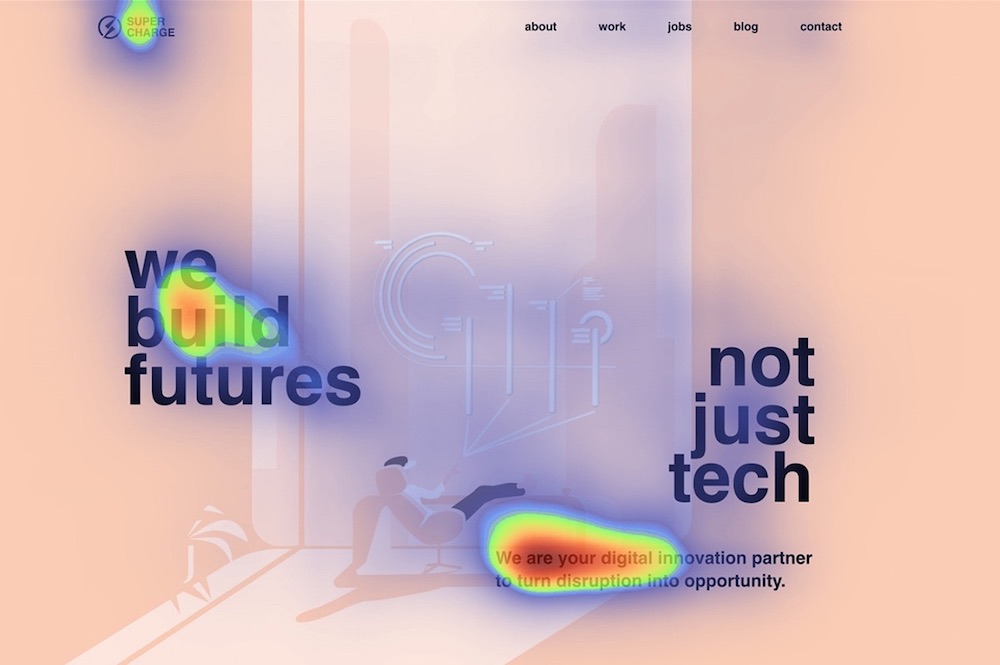
Attention heatmaps are becoming more and more popular among marketers, data analysts, and website designers, who are interested in what users find more fascinating than boring.
It reveals how far users scroll, where they click, what they look at or ignore. These insights let determine trends and assist in further development and improvement of design.
Heatmap is a graphical representation of data. It visualizes the most attention-grabbing (hot) and invisible (cold) objects of your design using colors on a scale from red to blue. In this way, heatmap provides an at-a-glance understanding of complex data. There are 4 types of heatmaps:
- Scroll heatmap
- Click heatmap
- Mouse move heatmap
- Eye move heatmap
Scroll Heatmap
Scroll maps show you how far websites’ visitors scroll down and where they tend to drop off. The warmer the area, the more visitors have seen it. It is mostly used for landing pages to detect the sharp drop-off points and understand where users lose their interest.
Based on insights, marketers are able to replace the least popular part with more relevant information taking into account already existing popular data.
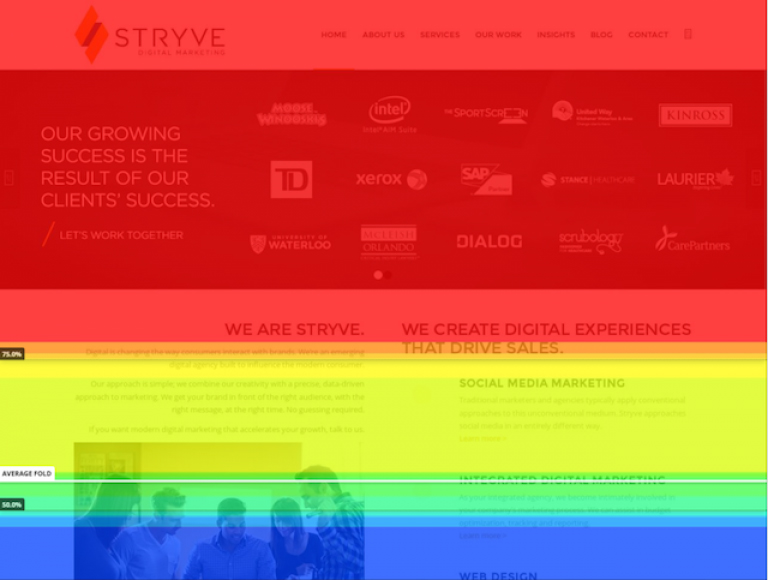 © Scroll heatmap by Hotjar Ltd.
Click Heatmap
A click map displays which images, CTA buttons, or other page elements users click on. Warmer colors indicate more clicks, while blue means fewer clicks. The most clickable areas are visualized as bright white and yellow spots. It is a powerful tool to find out which elements are so engaging that users even want to know more.
Click maps help marketing specialists track user engagement across a website and optimize their CTAs for higher conversion rates. Based on insights, marketers can re-develop the webpage by improving or taking out less clickable sections and replacing them with more desirable ones.
For example, if an image on your page attracts lots of clicks, you should consider an option to include a link. Or if the main CTA button is not attracting an interest, you might improve it.
 Source: VWO
Mouse Move Heatmap
Move heatmaps can be based on mouse or eye movements. Mouse-movement maps, also called hover maps, track where desktop users move and pause their mouse cursor as they navigate the page.
The red spots represent where readers pause their mouse the most. As people tend to look where they hover, a heatmap shows how users might be reading a web page.
However, based on researches, the accuracy of mouse-cursor tracking is questionable.
Readers might be looking at objects that they do not hover over. Eye-tracking is a much more reliable way to understand how users navigate a site than mouse-tracking.
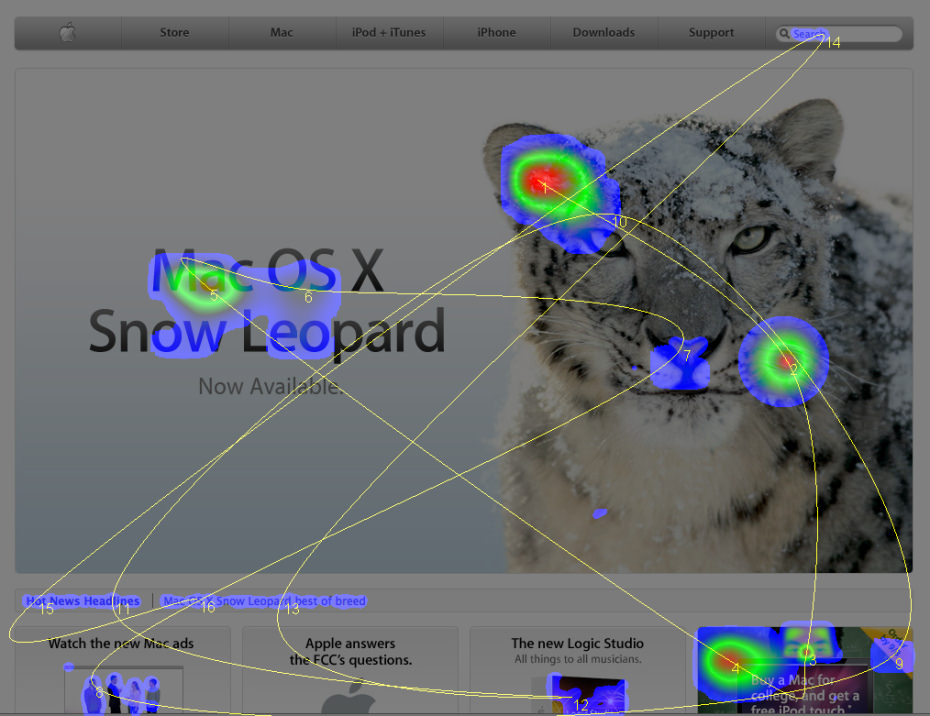 Source: Staticflickr
Eye Move Heatmap
A traditional eye movement heatmap is created by using an eye tracker, such as webcam or googles, which tracks where the user is looking. Collected data is analyzed and presented as a heatmap, highlighting in warm colors the catchiest elements.
It reveals whether people pay the most attention to where you want them to, which elements are distracting or not visible, and where sales are lost. However, it might take days or weeks to gather the information for a heatmap. Luckily, new technological innovations speed up the process.
Artificial intelligence is revolutionizing eye-tracking research. Given enough data of previous traditional eye-tracking studies, AI can make accurate predictions on which specific areas of your website attract the most attention.
As AI enables us to get these insights in a matter of seconds, it becomes an irreplaceable tool in business.
 © AI-powered heatmap by Attention Insight
Which One to Use?
Choose a heatmap according to your needs:
- Scroll map helps figure out where readers lose their interest. You can either remove irrelevant information block or move important ones above it.
- Clicks map is mostly used to optimize page and CTAs for better conversion.
- There is no reason to go for a mouse move map, if you can get eye move map.
- AI-powered eye move map reveals what visitors look at or ignore. Unlike other heatmaps, it can be used before website launch to test overall page design, objects’ visibility or detect attention errors. Also, it is a time-saver for A/B testing.
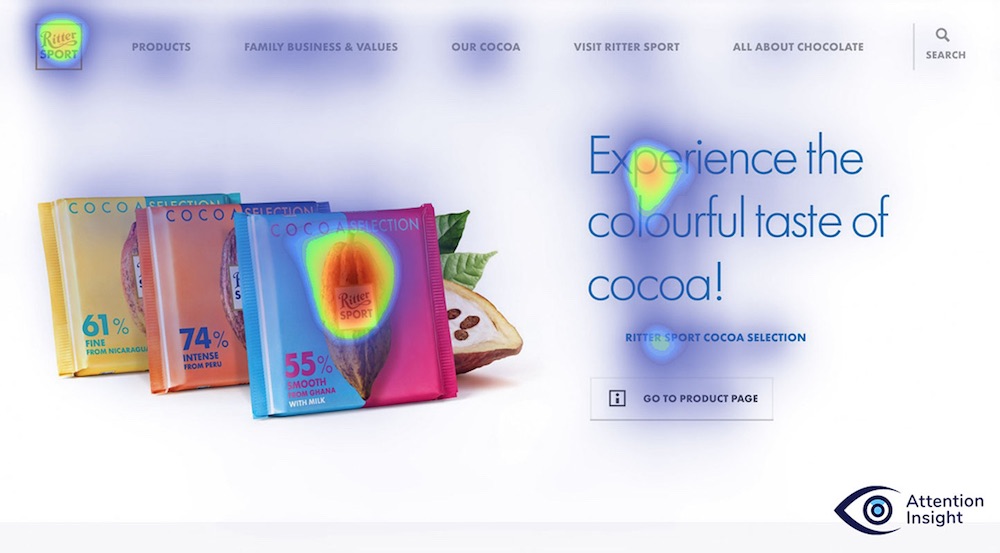 © AI-powered heatmap by Attention Insight
To Sum Up
Heatmaps empower developers and marketers to truly understand how visitors navigate the website, which content is most intriguing, detect issues, and make tremendous headway in website improvement.
They are able to make changes based on reliable data rather than intuition and guarantee business future success. As users’ attention is becoming the new gold, a heatmap is an invaluable tool to succeed in the current market.

You must be logged in to post a comment.